My profile Configuration
"My Profile'' is the page where you can edit your profile information and personal settings.
Table of Contents
General My Profile settings
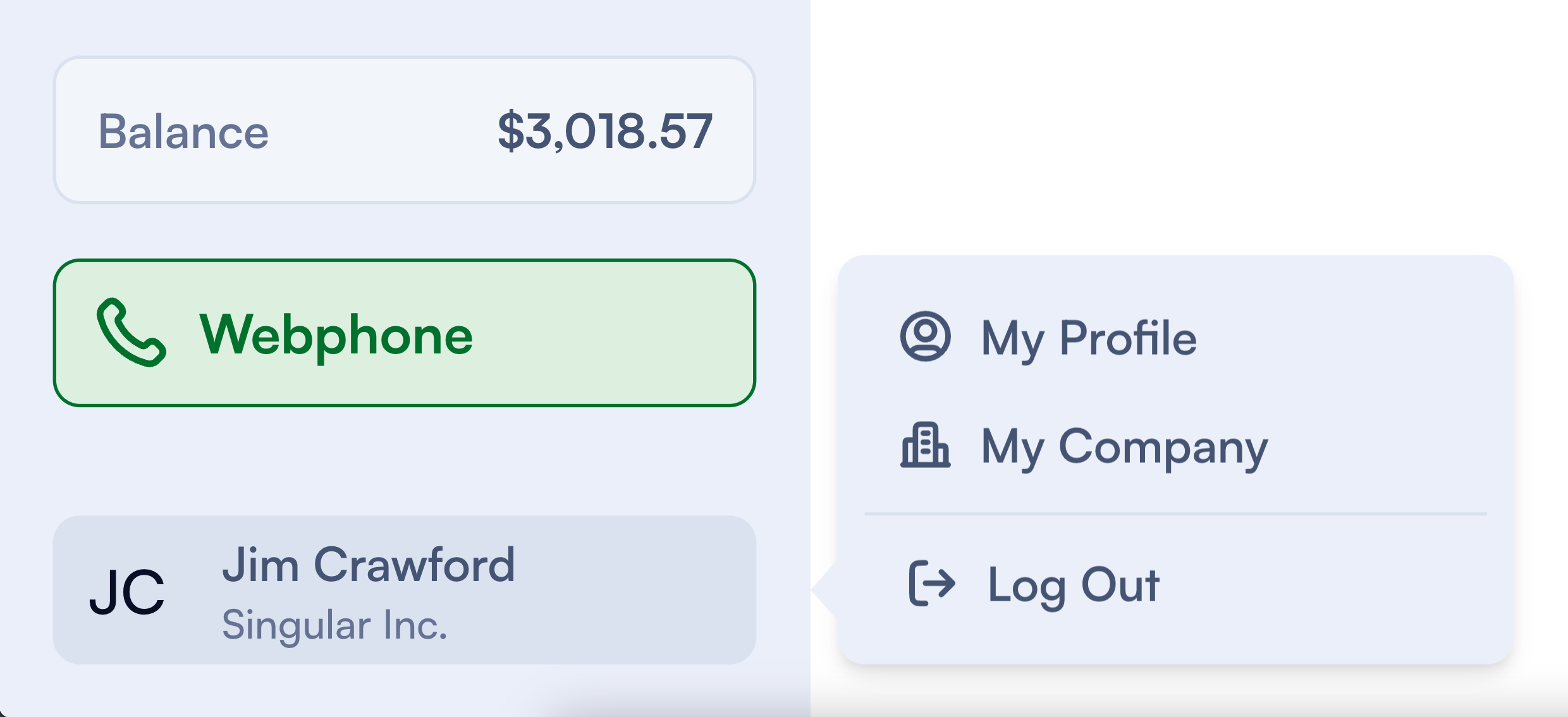
Log in to your PBX.IM account and click on your name. Once you click on it, a sidebar menu will open. Select 'My Profile.
Under General Settings, you can change your profile picture and update your name, phone number, and country.
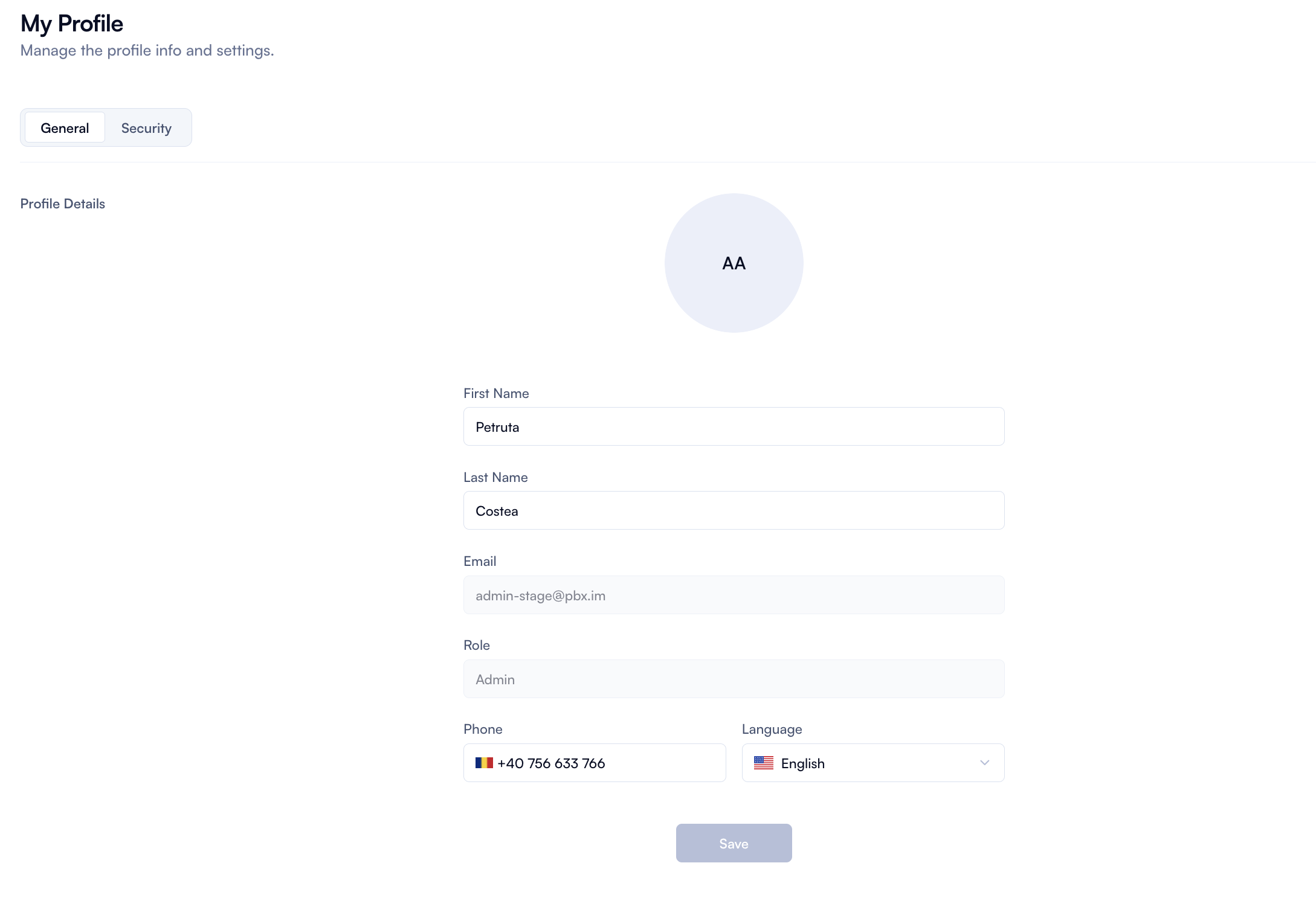
| Field | How to use |
|---|---|
| First and last name | Type in or update your name. |
| Email and role | In this section you can check the email address you currently use to log into the account as well as the role you currently have. You can change the email or role if you go to Settings → Users. |
| Phone and language | Type in your phone number and select the language from the drop down. |
Security settings
Under ''My profile'' you will also find a ''Security'' section.
Two-Factor Authentication
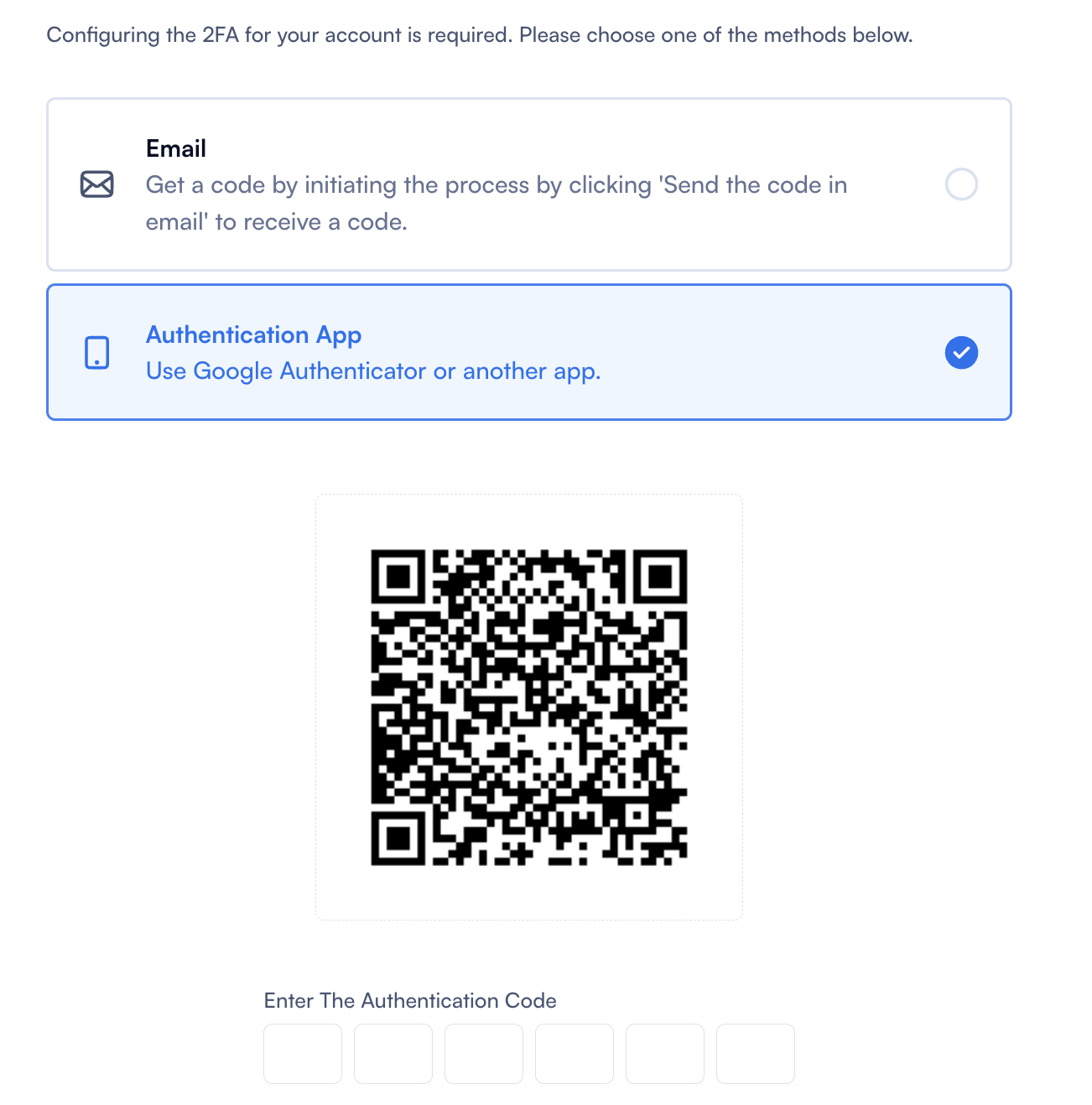
You can configure your 2FA by choosing one of the following options:
- Email: Receive an authentication code via email.
- Authentication App: Use Google Authenticator or another app to get a code each time you log in to your PBX.IM account.
For security reasons, make sure you choose at least one of these options.
Password
Under 'Security,' you can also update the password you are currently using for your account. Click on 'Change Password' and fill out the form to update it.

ID Verification
If your account has Limited Capacity (a restriction that prevents you from making or receiving calls), you can lift it by verifying your identity. Account owners and admins will find an ID Verification tab under My Profile. PBX.IM uses Stripe Identity to confirm your identity securely: you complete the check on Stripe's hosted page (it opens in a new tab) and return to PBX.IM afterwards.
The tab shows one of the following states, depending on where your verification stands:
| State | What you see | What to do |
|---|---|---|
| Not started | "Help us minimize the risk of fraud on your account," with a Verify Your ID button. | Click Verify Your ID to start the Stripe Identity flow. |
| In progress | A verification you started but did not finish, with Resume Verification and Start New Verification buttons. | Resume Verification reopens the same Stripe session; Start New Verification cancels it and begins a fresh one. |
| Processing | "Your verification is being reviewed. This usually takes a few minutes." | No action needed. The page updates on its own once the review completes. |
| Verified | A green VERIFIED card showing the verified person's name. | Nothing further — your identity is confirmed and the Limited Capacity restriction is removed automatically. |
| Failed | A red FAILED card: "Verification was cancelled or checks failed," with Contact Support and Verify Your ID buttons. | Click Verify Your ID to try again, or Contact Support to open a support ticket (pre-filled with the failure details). |
Once your identity is Verified, the check cannot be removed or repeated, and the Limited Capacity restriction on your account is lifted automatically.