Contact Us Web Widget
PBX.IM’s Contact Us Web Widget is a lightweight, code-free call button that enables visitors on your website to connect instantly with the appropriate business agent over the internet.
The widget enables customers to initiate calls immediately, thereby enhancing user engagement and establishing trust from the very first interaction. Fully customizable to match your brand identity, business requirements, agent availability, and business hours, it ensures seamless integration with your websites and maximizes lead capture.
Why should you have a 'Contact Us Web Widget' on your website?
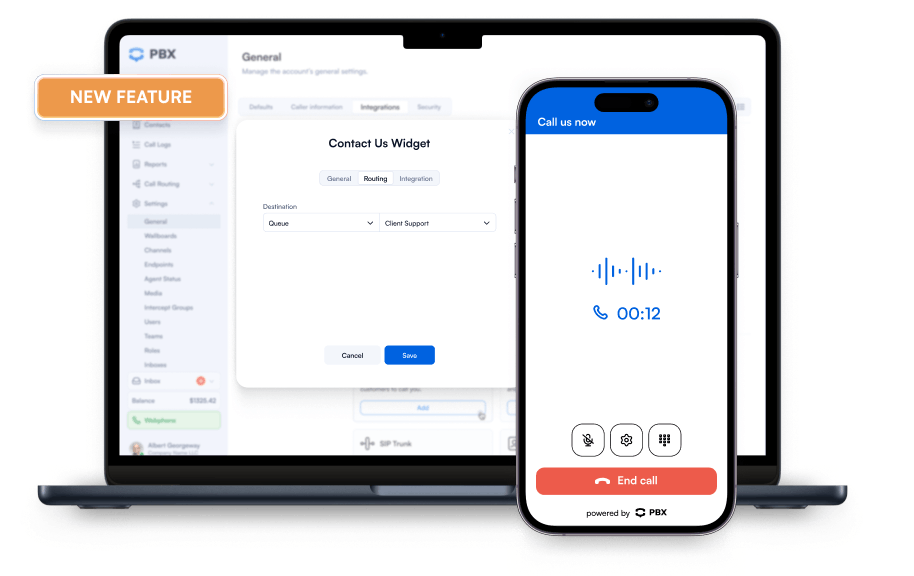
Adding a Contact Us Web Widget provides your website visitors with an immediate, low-friction way to reach your agents. Using the 'Add Widget' functionality, administrators can easily configure the web widget and deploy it across any page. Visitors click the button to trigger a call within the browser, via WebRTC, which is then automatically routed based on your account settings, ensuring every lead reaches the right agent without delay.


Increase Conversions
Turn passive website visitors into active calls. The Contact Us Web Widget drives higher conversion rates than traditional forms by enabling instant, real-time calls.

Improved User Experience
The Contact Us Web Widget stays visible at all times, removing friction and making it easy for visitors to connect with support or sales.

24/7 Availability & Follow-Up
With the Contact Us Web Widget, calls during business hours reach the right agent instantly. Outside business hours, calls route to voicemail and are converted into email follow-ups, ensuring you never miss a lead.

Easy & Fast Set-Up
Deploy the widget in minutes. No coding required. Configure routing, availability, and placement effortlessly for immediate use.

Fully Customizable
Tailor the Contact Us Web Widget to your brand and website. Customize button text, colours, position, and animations to create a consistent and engaging user experience.

Improve Costs & Accessibility
The Contact Us Web Widget routes calls over the internet, reducing telecom expenses and long-distance fees. Share links via SMS or email so customers can start calls instantly, from anywhere.
Mobile Optimized
Designed to work seamlessly on both desktop and mobile devices, the Contact Us Web Widget ensures a consistent user experience across platforms. PBX.IM responsive design adapts to screen sizes, providing an intuitive and accessible interface for visitors on any device.
Build Authentic Brand Connections
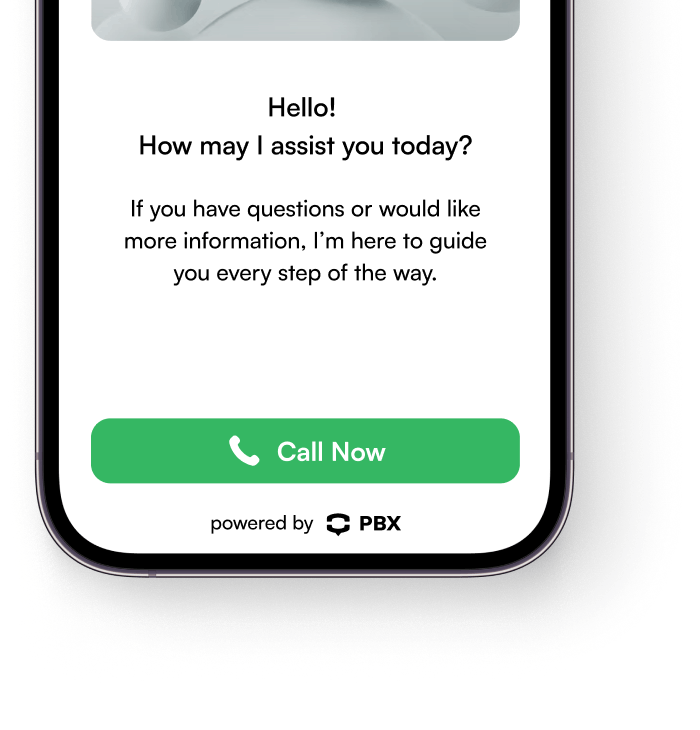
The widget supports full customization to match your brand identity, including button text, colors, shapes, placement, and animation styles. Admins can configure these parameters directly through the widget settings, ensuring alignment with website design and messaging. On the end user’s side, the button renders seamlessly across devices, delivering a consistent, branded experience that enhances trust and user recognition.
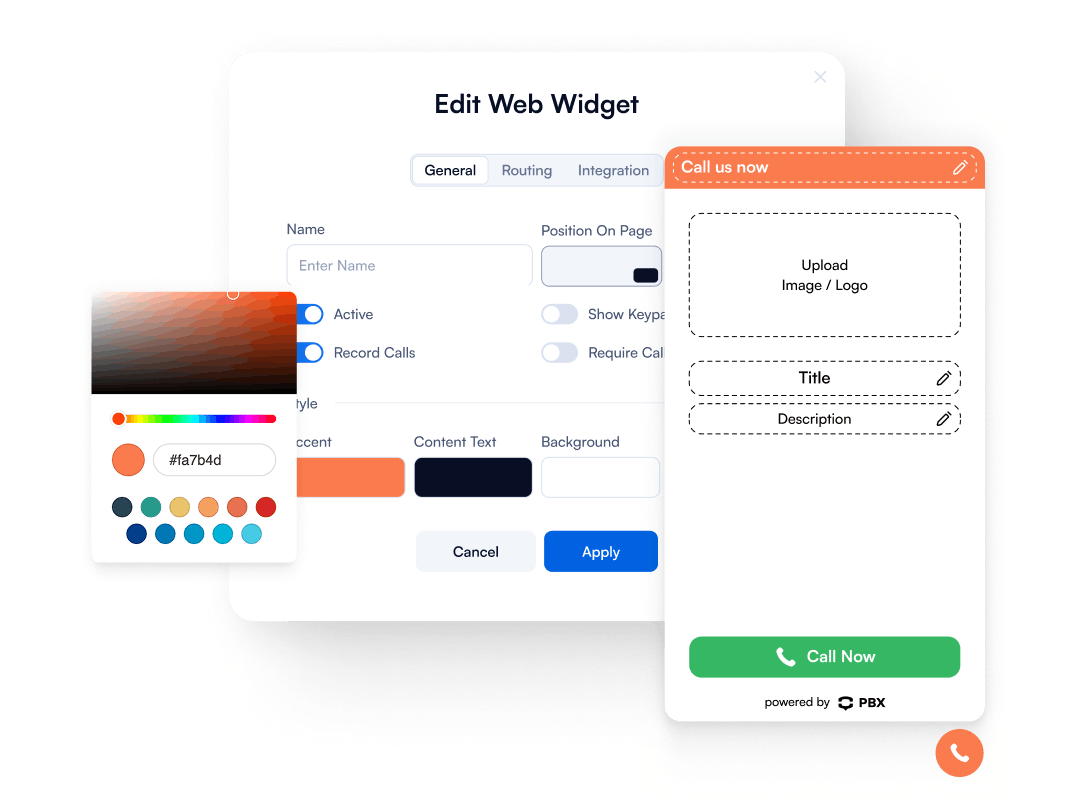
How to Add the Contact Us Web Widget to the Website
Sign up, configure your widget with your settings, and embed it on your website to go live instantly on desktop and mobile.
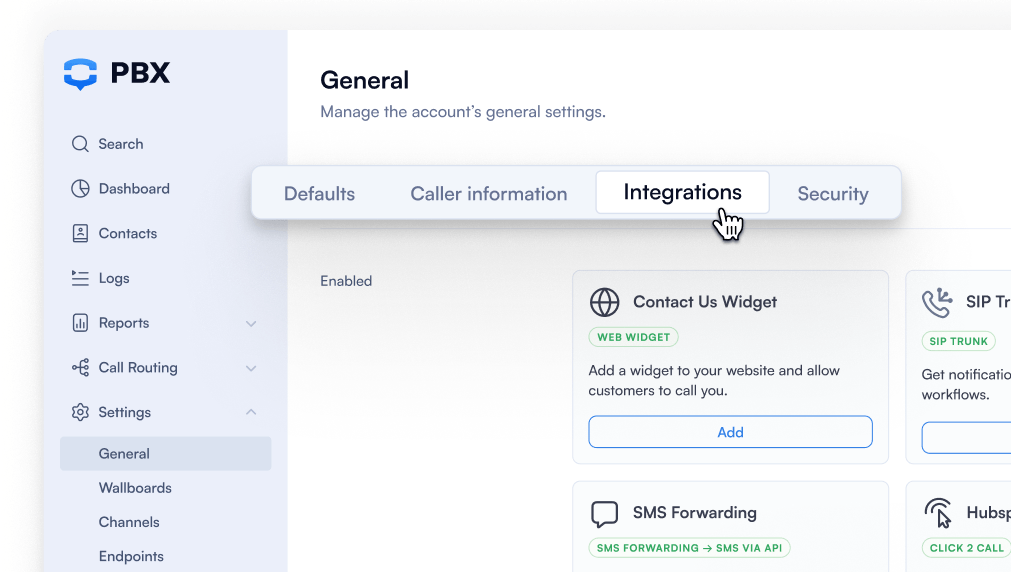
1. Sign Up to PBX.IM
Signup or log in to your account, go to Integrations, and click Add Web Widget. The configuration panel will appear with a live preview and settings.
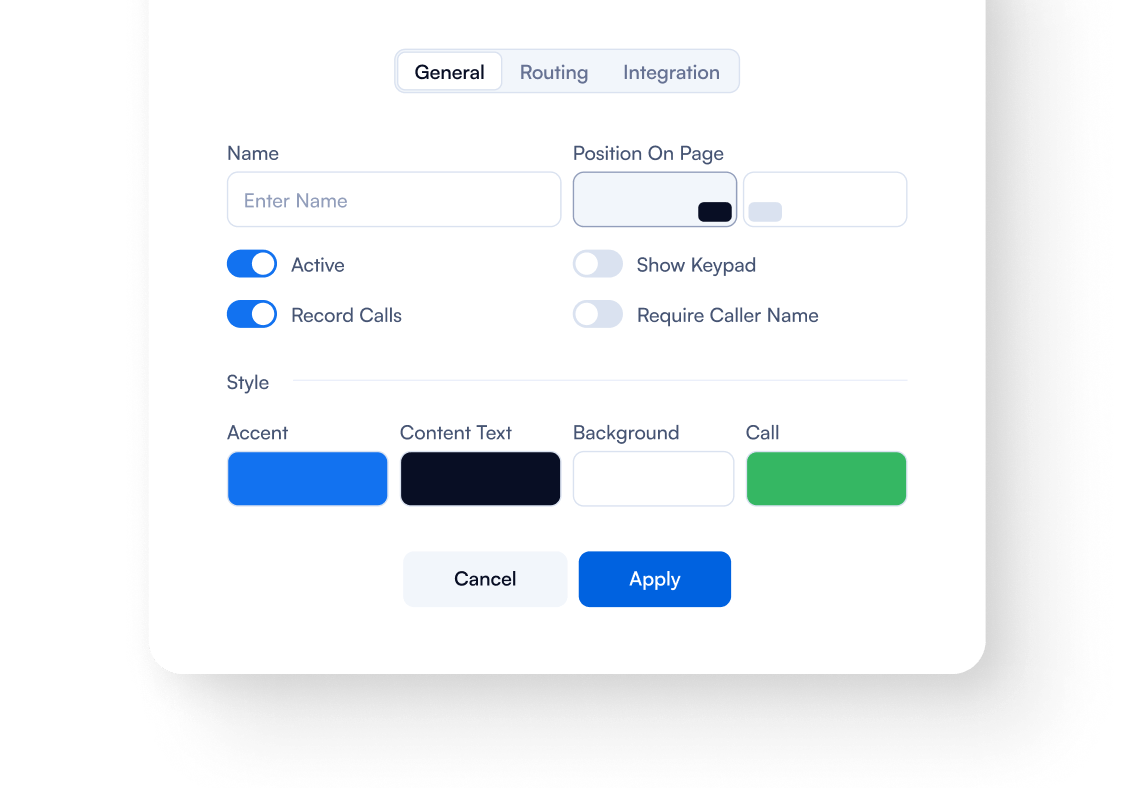
2. Personalize Your Widget
Set the widget name, position, and activation. Customize colors, text, logo, and animations. Configure call routing and optional features, such as keypad input, call recording, or prompting visitors to enter their name before connecting, so every call reaches the right agent seamlessly.
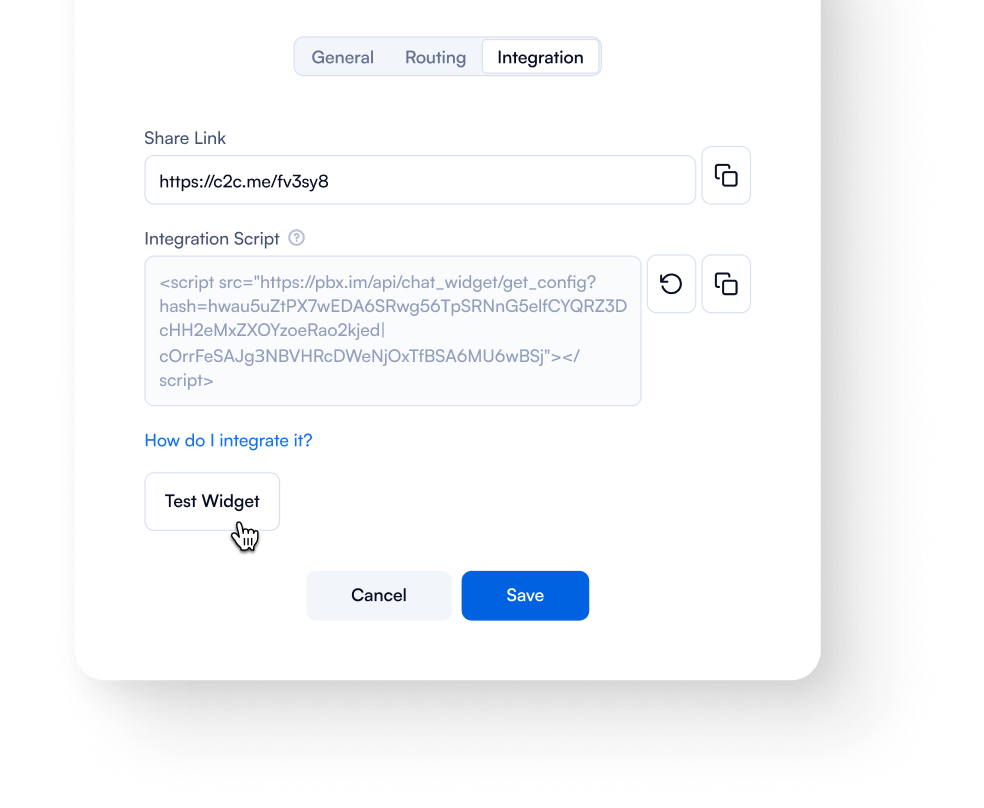
3. Launch & Test
Copy the embed script and add it to your website. Use Test Widget to verify functionality, your contact us button is now live and optimized for desktop and mobile.

Add the widget to your website in minutes. Connect visitors instantly with the right agent, boost engagement, and never miss a lead - easy to set up and fully customizable for your brand.
Check Our Other Features

Security
Secure your communication with features like encryption, multi-factor authentication, trusted devices, IP restrictions, country restrictions, user roles & permissions.

Real-time Call Monitoring
Record phone conversations and audit agent performance, identify the best customer approach and replicate it to grow.

Local Phone Numbers
Manage all your phone numbers in one place with ease. Assign, configure, and optimize numbers based on your needs.

Auto Attendant
Have PBX.IM interact with callers, gather information, and route calls to the appropriate recipients.

Call Queues
Call queueing allows for efficient call handling, better customer experience and agent productivity, fewer dropped calls, and higher retention rates.

Call Routing
Prioritize calls based on agent skills, product knowledge, language proficiency and even working hours.

Endpoints
Virtual terminals offer cost savings, flexibility and scalability, enhancing call center operations.

On Hold Messaging
Record your own messages or type the text and convert it into audios. Choose the music on hold of your choice.

Cloud Phone System
Internet-based, hassle free: Premium Cloud service providers secure excellent uptime and maintenance.
Contact Us Web Widget FAQs
What is the Contact Us Web Widget?
What is the Contact Us Web Widget?
The Contact Us Web Widget is a lightweight, code-free call button that allows website visitors to connect instantly with your agents. It provides a low-friction way to capture leads and improves user engagement by enabling real-time phone conversations.
Do I need coding skills to add the widget?
Do I need coding skills to add the widget?
No coding is required. The widget can be added to your website using the simple Add Web Widget interface. It’s compatible with popular CMS platforms like WordPress, allowing users to embed the widget directly through their site’s settings.
How to put the Contact Us Web Widget on the home screen?
How to put the Contact Us Web Widget on the home screen?
Once configured, copy the integration script provided in the widget’s Integration tab and embed it on your homepage or any webpage. The button will appear as a floating, responsive element for both desktop and mobile visitors.
Can I change the widget colors and design?
Can I change the widget colors and design?
Yes. You can fully customize the call me button to match your brand, including text, colors, logo, position, and animation styles. Changes appear instantly in the live widget preview.
Can I add multiple phone numbers for different departments?
Can I add multiple phone numbers for different departments?
Absolutely. Use the routing settings to assign different numbers or queues based on department, page, or visitor actions. Each click will connect the visitor to the correct destination automatically.
Will the Contact Us Web Widget slow down my website?
Will the Contact Us Web Widget slow down my website?
No. The widget is lightweight and optimized for performance, ensuring fast load times on desktop and mobile without affecting your site speed or user experience.
How do I track calls generated by the widget?
How do I track calls generated by the widget?
The widget provides analytics on all incoming calls. You can monitor call volume, duration, and routing to track performance and optimize lead capture strategies.
How do I get help if I have issues?
How do I get help if I have issues?
Support is available via Email and Chat. For premium users, our dedicated customer support team is available 24/7, providing guidance on setup, configuration, troubleshooting, and best practices to ensure optimal performance.
How to optimize the Contact Us Web Widget for better conversion?
How to optimize the Contact Us Web Widget for better conversion?
Ensure the button is visible and sticky on key pages.
Customize the widget to align with your brand identity.
Use clear, action-oriented text like “Call Me Now.”
Route calls efficiently to available agents.
Test placement and appearance regularly to maximize engagement.