Port your phone numbers to PBX.IM

Switch to PBX.IM without changing the numbers your customers already know. Gain full VoIP functionality, and manage your business communication from anywhere, all seamlessly.

Customers that trust PBX.IM
What does porting a number mean?

What does porting a number mean?

Phone number porting, also called number transfer or DID porting, is the process of moving your existing phone number from one of your current service providers to another. Simply put, you can switch to PBX.IM without getting a new phone number. Your customers can still reach you at the phone number they are familiar with.

How to port business phone number in 3 steps?

1

1. Sign Up to PBX.IM

Access your PBX.IM dashboard, go to Call Routing > Phone Numbers, and click "Port-in Number."
onboarding phone window
2

2. Add Your Numbers

Select your country, specify business use, then enter the numbers you want to port.
onboarding contacts
3

3. Review and Submit

Double-check all numbers are correct and submit your request; we'll handle the rest!
Send data

Unlock Advanced VoIP Features

Take your business communication to the next level with tools designed for reliability, flexibility, and global reach. Manage calls, maintain a professional presence, and gain insights, all from one platform.

SIP Trunk Provider

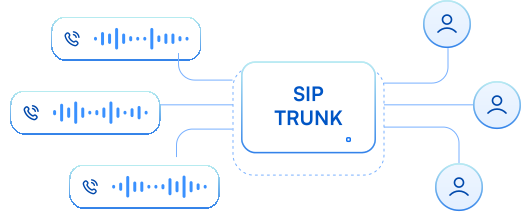
Replace costly traditional phone lines with secure, internet-based calls. Enjoy reliable connectivity, lower costs, and global reach without needing physical hardware.
sip trunking

Microsoft Teams Direct Routing

Make and receive business calls directly within Teams. Streamline communication by keeping everything in one app, so your team can collaborate and connect seamlessly.
Microsoft Teams PBX

Local Phone Numbers in 60+ countries

Establish a local presence anywhere your customers are. Your customers see a local caller ID, improving answer rates and building trust with clients worldwide.

sip-trunking2

Auto Attendant

Set up multi-level menus, personalized greetings, and automated voicemail. Ensure calls are routed efficiently, giving your business a professional presence even outside office hours.

Auto Attendant (IVR)

Call Monitoring & Reporting

Track call activity and agent performance in real time. Gain actionable insights to optimize workflows and improve team productivity consistently.

real-time monitoring dashboard
stats-background
Port your number, keep your customers, save on phone bills.

Keep Your Number, Expand Your Potential

Ready to port your phone number to a VoIP system? Here are some ways in which it can help you:

Growing Business Team

Growing Business Team

Scale your communication features as your team expands without losing the phone numbers your customers already know. Add new lines, extensions, and capabilities instantly to match your growth.

Remote team

Remote Team Flexibility

Enable staff to answer calls from anywhere, home, office, or while traveling, without losing a professional, consistent presence. Your team stays connected and responsive no matter where they are.

benefit cost efficiency

Cost Efficiency

Keep your existing number while reducing phone bills by up to 60%. Avoid hidden fees, extra hardware, or complicated setups, and enjoy predictable, low-cost business communication.
Physical device & equipment

Hardware-Free Communication

Move away from broken phones, slow installations, and costly repairs. PBX.IM’s cloud-based system runs entirely over the internet, ensuring 99.999% uptime and instant scalability.

stats-background
Your better business communication system awaits.

Communicate globally starting now.

Porting Phone Number FAQs

Can I keep my current phone number with PBX.IM?

Absolutely. PBX.IM supports number porting, so you can transfer your existing landline, mobile, toll-free, or VoIP number directly into our system.

Are there any numbers I cannot port?

Most standard phone numbers can be ported, but there are a few exceptions:

  • Emergency numbers (e.g., 911 in the U.S.)
  • Short codes (e.g., 5- or 6-digit service numbers)
  • Numbers on “Do Not Port” lists (some regions maintain lists of numbers that cannot be transferred)
  • Inbound-only service numbers tied to specialized networks (like certain alarm or telemetry lines)
  • Numbers under active litigation or with unpaid balances—some carriers won’t release these until the issue is resolved

Can I port international numbers?

You can port international numbers in many, but not all, countries. Global portability depends on local regulations and the policies of your current provider.

With PBX.IM:

  • We support inbound porting for numbers in over 40+ countries (including the US, UK, Canada, Australia, and most EU nations).
  • For regions we don’t yet cover, we’ll let you know up front and can often suggest workarounds (like forwarding or local DID alternatives).

What if my port request is rejected?

If your port request is rejected, we’ll notify you right away with the reason, usually something like mismatched account details or missing documentation. Don't worry! We are with you each step of the way. We will provide the necessary steps to resubmit your porting request.

Can I cancel a porting request after submitting it?

Yes, you can cancel a port-in request, but the process depends on its current status:

Pending or In Review

  • Go to Dashboard > Call Routing > Phone Numbers.
  • Under the Pending tab, find your port-in request and click Cancel.
  • You’ll receive a confirmation, and the request will be withdrawn immediately.

In Progress

  • The port has been sent to your old carrier but hasn’t been completed yet.
  • Reach out to PBX.IM Support as soon as possible. We’ll contact the carrier on your behalf to halt the transfer and revert your number to the original provider.

Approved / FOC Date Passed

  • Once the port is fully approved and the FOC date has passed, the number is live on PBX.IM.
  • At that point, you can’t “un-port” it. Instead, you’d need to port it back to your previous provider.

How will I know my number has been successfully ported?

You’ll know your number has been successfully ported in two ways:

Dashboard Status Update

  • Log in to Dashboard > Call Routing > Phone Numbers.
  • Numbers move from the Pending tab to the Active tab once porting is complete.

Email Confirmation

  • We’ll send you an email notification as soon as the port finishes and your number is live on PBX.IM.

What happens to my old provider after porting?

Once your number has successfully ported to PBX.IM, here’s what happens with your old provider:

  1. Number Release
    On the FOC (Firm Order Commitment) date, your old provider transfers the number to PBX.IM. After that moment, they no longer own or route calls for that number.
  2. Service Cancellation
    You should cancel your old service only after you see the port complete (number appears under Active in your PBX.IM dashboard and you’ve tested it). If you cancel before the port finishes, you risk losing the number.
  3. Final Billing
    Your old provider may issue a final bill that includes any remaining usage charges, early-termination fees (if you’re still under contract), or number-porting fees on their end. Review that final invoice and settle any balance.
  4. No Impact on PBX.IM Service
    Once the number is fully active in PBX.IM, your call routing, voicemail, and all PBX.IM features take over completely replacing your old provider’s service for that number.

How much does phone number porting cost?

While number porting is typically provided at no cost, certain circumstances may require a nominal processing fee. All applicable charges will be clearly disclosed upfront, ensuring complete transparency regarding any costs you may incur.

How long does it take to transfer a phone number?

Most number transfers to PBX.IM complete within 3-10 business days. The exact timeline depends on your current provider and the type of number (local, mobile, toll-free, or DID).