
Time conditions for enhanced call management
Customize incoming call routing according to your business needs and your team’s geographic location, capacity and availability.
Time & Date-Based Routing
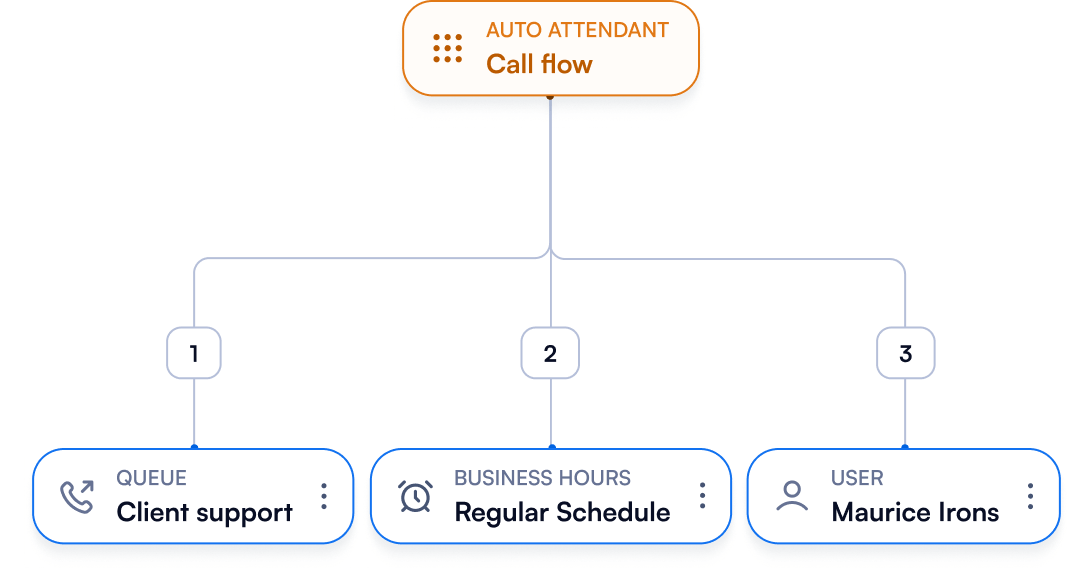
Automatically route calls according to business hours, holidays, or special schedules.
Ensure callers are handled correctly at all times, receive accurate messaging outside office hours, and connect to available teams efficiently.



Frequently asked questions
Why should businesses set business hours or time conditions for VoIP calls?
Why should businesses set business hours or time conditions for VoIP calls?
The most obvious benefit of having time conditions implemented is minimizing missed calls and lost business opportunities without 24/7 live availability. Special handling during high call volume periods or automated routing during non-business hours to voicemail, automated messages or a callback option ensures that customers still receive a response. This is always correlated with a positive impact on customer satisfaction and revenue.
Setting clear business hours conveys a professional image and helps manage customer expectations.
As a business, you can adjust support efforts for holidays, special events, or seasonal variations ensuring consistent customer communication by allocating resources effectively.
Businesses that operate across different geographies can tailor call handling to different time zones, making it easier to serve customers in various regions.
In the case of emergencies or unexpected closures, predefined time conditions can automatically inform callers and provide alternative contact methods, maintaining operational continuity.
Last but not least, call reports based on time conditions provide valuable data for future planning and preparations. Patterns and volumes insights can help optimize call flows, business processes and team capacity and improve overall service.
What are some examples of configuring VoIP call flows based on business hours, peak periods, or holidays?
What are some examples of configuring VoIP call flows based on business hours, peak periods, or holidays?
1. Business Hours Configuration
Scenario: A business operates from 9 AM to 5 PM, Monday through Friday.
Call Flow:
During Business Hours (9 AM - 5 PM):
- Incoming calls are routed to the main reception or an automated attendant.
- Options for the caller:
> Press 1 for Sales
> Press 2 for Support
> Press 3 for Billing
> Press 0 to speak with an operator
Outside Business Hours (5 PM - 9 AM):
- Calls are routed to a voicemail system.
- An automated message informs the caller of the business hours and prompts them to leave a message or call back during operating hours.
2. Peak Periods Configuration
Scenario: The support department experiences high call volumes between 2 PM and 4 PM daily.
Call Flow:
During Peak Periods (2 PM - 4 PM):
- Calls are initially routed to a waiting queue with an estimated wait time message.
- An option is provided to leave a voicemail for a callback.
- Calls may also be routed to additional support staff or an overflow call center to handle the increased volume.
Outside Peak Periods:
- Calls are routed directly to available support agents.
- Standard call handling procedures are followed with shorter wait times.
3. Holiday Configuration
Scenario: The business is closed on national holidays.
Call Flow:
During Holidays:
- An automated message informs the caller of the holiday closure and the next business day the office will be open.
- Calls are routed to a special holiday voicemail box.
- Important messages can be flagged for an on-call staff member to review in case of emergencies.
Before and After Holidays:
- Regular business hours call handling is followed.
- A pre-holiday message may inform callers of the upcoming closure.
4. Custom Schedule for Part-Time Employees
Scenario: A part-time employee works Monday, Wednesday, and Friday from 10 AM to 2 PM.
Call Flow:
During Working Hours (10 AM - 2 PM on MWF):
- Calls are routed directly to the part-time employee.
- If the employee is busy, calls go to their personal voicemail.
Outside Working Hours:
- Calls are routed to a general team voicemail or another available team member.
- An automated message informs callers of the employee's specific working hours.
5. Geographical Time Zones
Scenario: A business operates in multiple time zones, with offices in New York (EST) and Los Angeles (PST).
Call Flow:
Eastern Time Zone (New York Office):
- Calls received between 9 AM and 5 PM EST are routed to the New York office.
- Calls outside these hours are directed to voicemail or the Los Angeles office if within their operating hours.
Pacific Time Zone (Los Angeles Office):
- Calls received between 9 AM and 5 PM PST are routed to the Los Angeles office.
- Calls outside these hours are directed to voicemail or the New York office if within their operating hours.