Intercept Groups
Intercept groups are a PBX.IM functionality where a call is redirected when it rings for another user in the group. Basically, if someone in the group is not available to take the call, other members of the group can answer it.
Table of Contents
Introduction to Intercept Groups
Access Intercept Groups
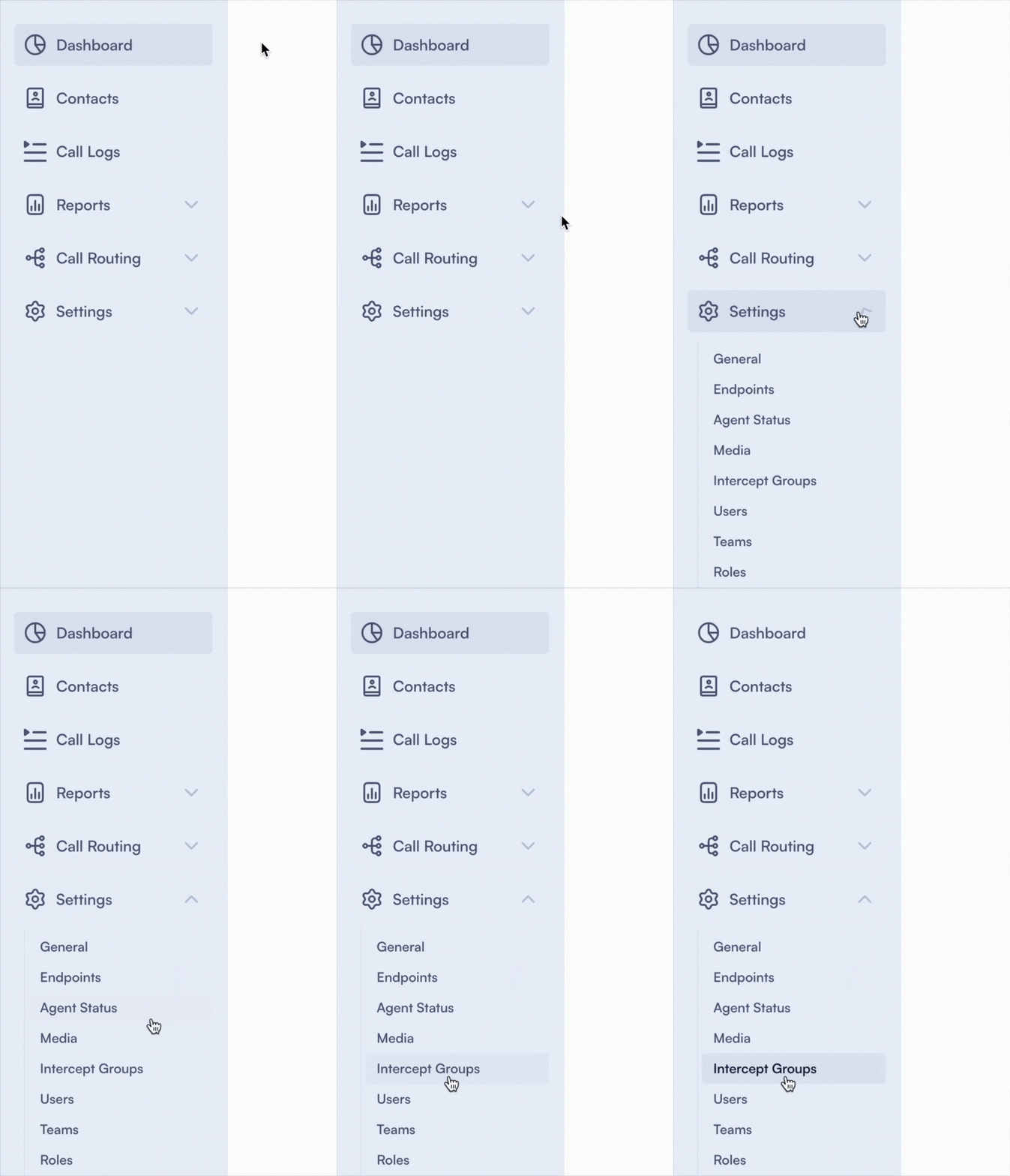
- Log in to PBX.IM
- Go to Settings
- Click on Intercept Groups
Set up an Intercept Group
Once you clicked on the ''Intercept Group'' section a page with all the details will open up:
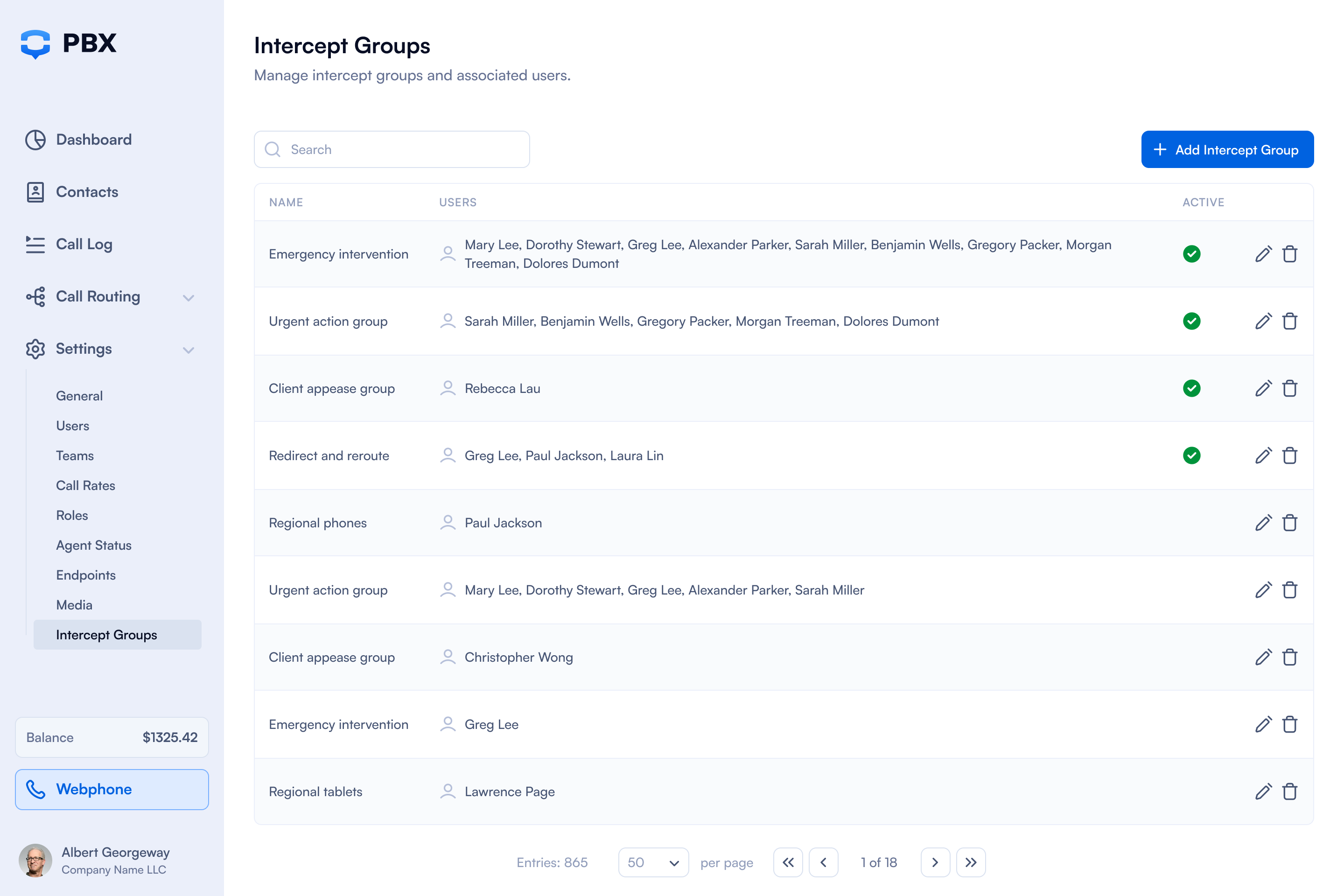
To add a new intercept group all you have to do is to click on ''Add Intercept Group'' in the upper right.

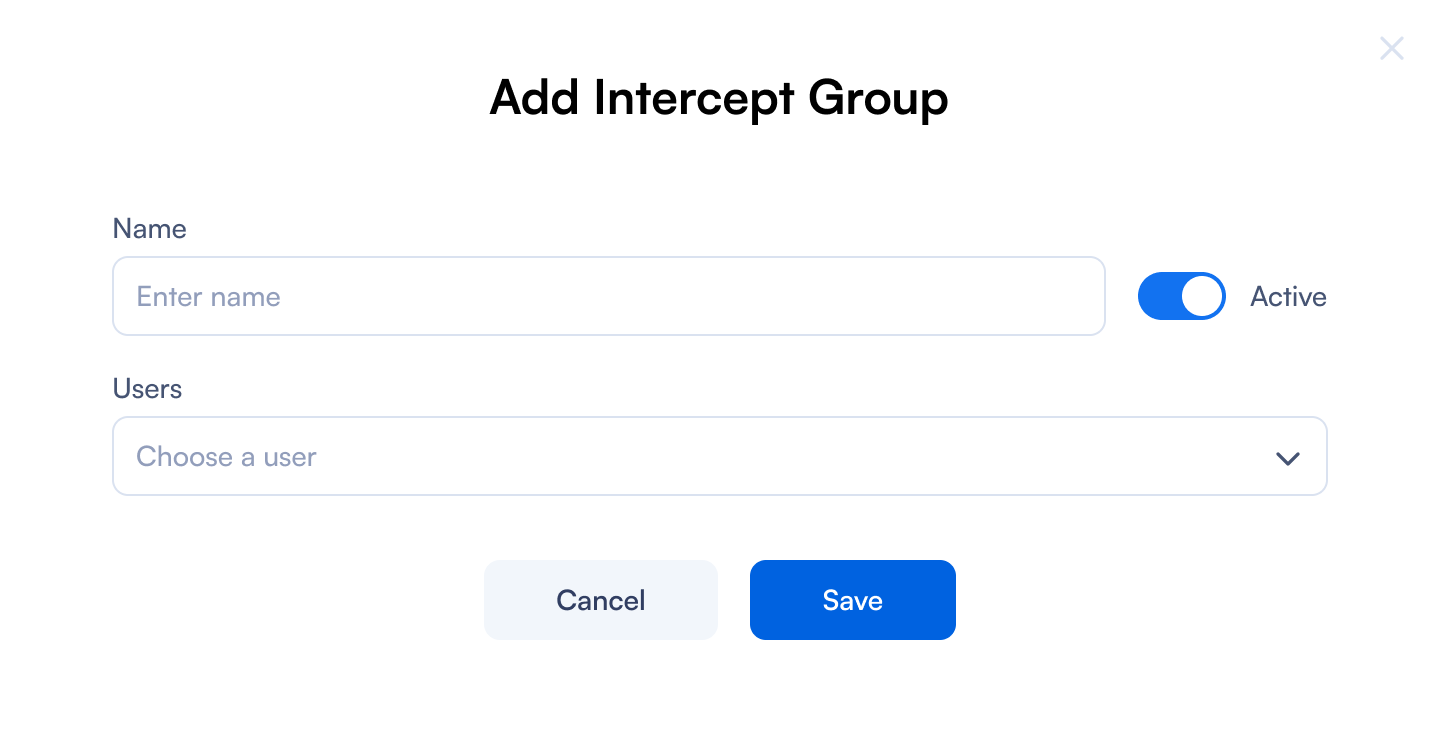
Add Intercept Group
| Field | How to use it |
|---|---|
| Name | Type in the name of the Intercept Group that you want to add. It can be something like ''Sales'', ''Marketing'', ''Customer care'' etc. |
| Users | From the dropdown field you can select all the users that you want to add in the group. You can start a group with just one person and add more afterwards. |
| Active toggle | Use the toggle to activate or deactivate the intercept group. |
Edit an Intercept Group

If you want to edit an ''Intercept Group'' all you have to do is go the main page and click on the ✏️. The same form will pop up where you can make all necessary changes.