Security
At PBX.IM we value security so we have a couple of things that you can do to enhance your account safety.
To do that, go to ''My Company'' and click on the fourth tab '' Security''.
If you have trouble accessing ''My Company'', follow the steps provided on the Manage Your Account & Billing page.
Once you click on 'Security', you will see three areas:
- Member Authentication
- Login Access
- Call Recordings Access
Authentication Settings
Under ''Authentication Settings'', you can set the Two-Factor Authentication and define the password expiration period.
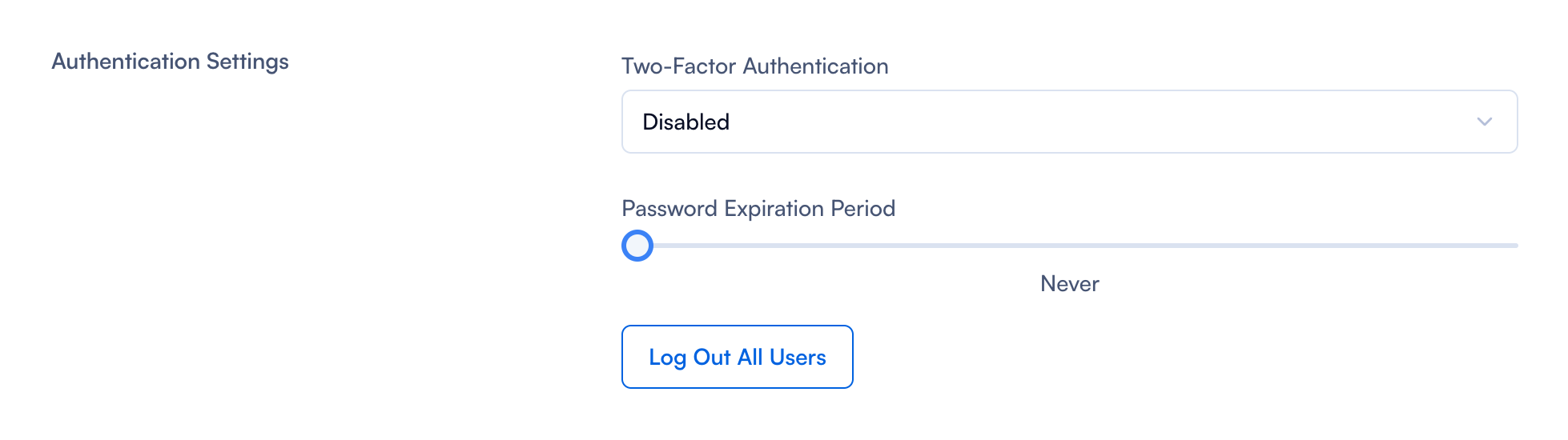
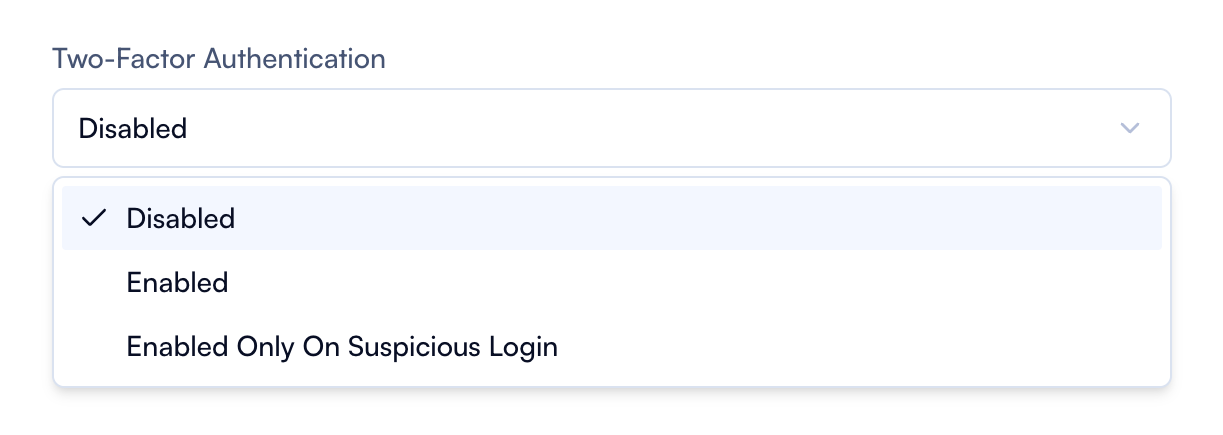
Disabled Two-Factor Authentication is turned off. Members will only need to use their username and password to log in. Enabled Two-Factor Authentication is fully turned on. Members will be required to provide a second form of authentication (like a code sent to their phone or an authenticator app) every time they log in. Enabled Outside of IP Range Two-Factor Authentication is only required when the user is logging in from an IP address that is outside of a pre-defined range. This might be useful for members who frequently log in from a specific, trusted location (like their office) but want additional security when logging in from other locations.
Password expiration period Simply drag the cursor to the desired length of time. Your members will receive a password expiration notification after the established period.

Another option available in this section is to log out all users from their accounts. If you want to do this, simply press the button. Be aware that this will require them to log in again using the credentials they set when you first invited them to PBX.IM (check Invite Team Members for the whole flow).
Login Access
Under ''Login Access'' you are able to further increase the security measurements.

| Field | Explanation |
|---|---|
| Allowed Countries | Choose which countries you would like to have access to the platform from the dropdown menu. You can leave the default setting to ''All'' or choose from the list which ones you would want to. |
| Toggle | When turned on, it restricts access to PBX based only on specific IP addresses, ranges, or CIDR (Classless Inter-Domain Routing) notations. This enhances security by ensuring only users from specified IPs can access the system. |
If you switch on the ''Toggle'' you will be prompted to choose a value between:
- IP: You can input a specific IP address.
- CIDR: You can input a CIDR notation, which specifies a block of IP addresses.
- IP Range: You can define a range of IP addresses.
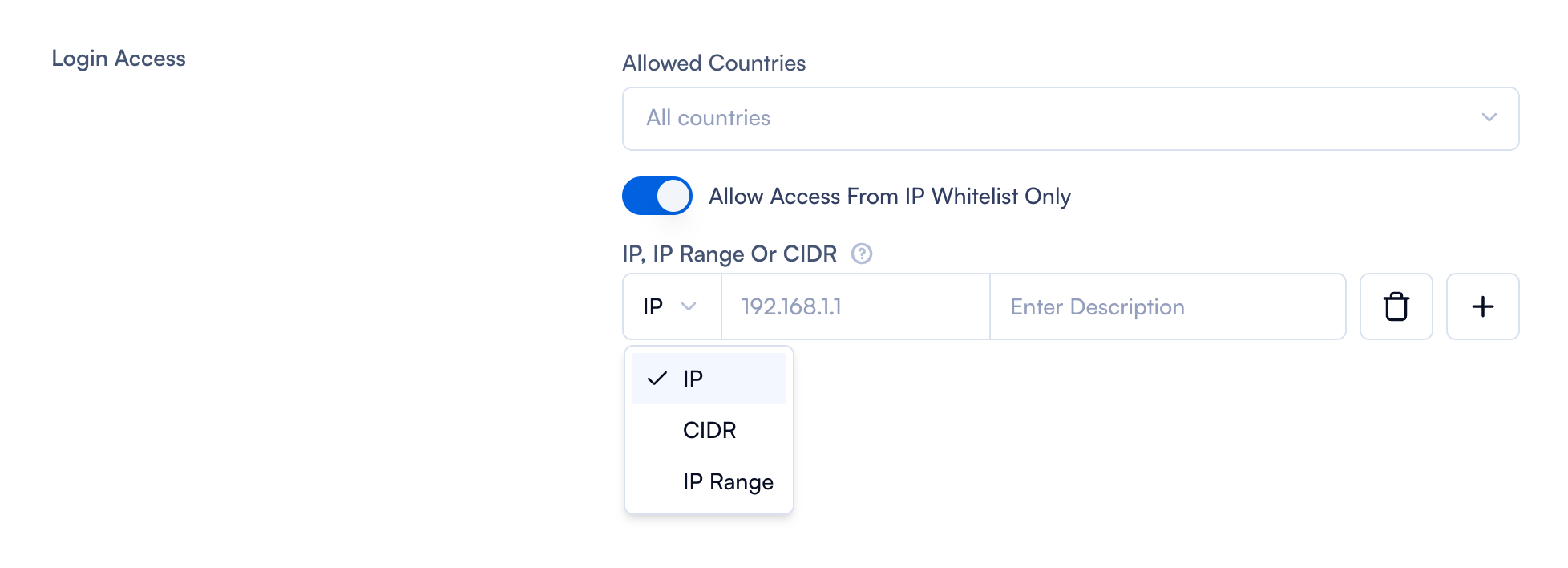
- The Add (+) button lets you add the specified IP, range, or CIDR to the list of allowed addresses.
- The Delete (🗑️) button allows you to remove an IP, range, or CIDR from the list.
Call Recording Access
You will have the same settings available under "Call Recording Access" as you do under "Login Access."
