Call Forwarding
Overview:
The call forwarding feature in PBX.IM enables incoming phone calls to be redirected from the initial recipient to another number or service.
Table of Contents
Introduction to Call Forwarding
Use call forwarding feature to never miss a call again. Redirect them to another available agent or mobile phone.
Access Call Forwarding:
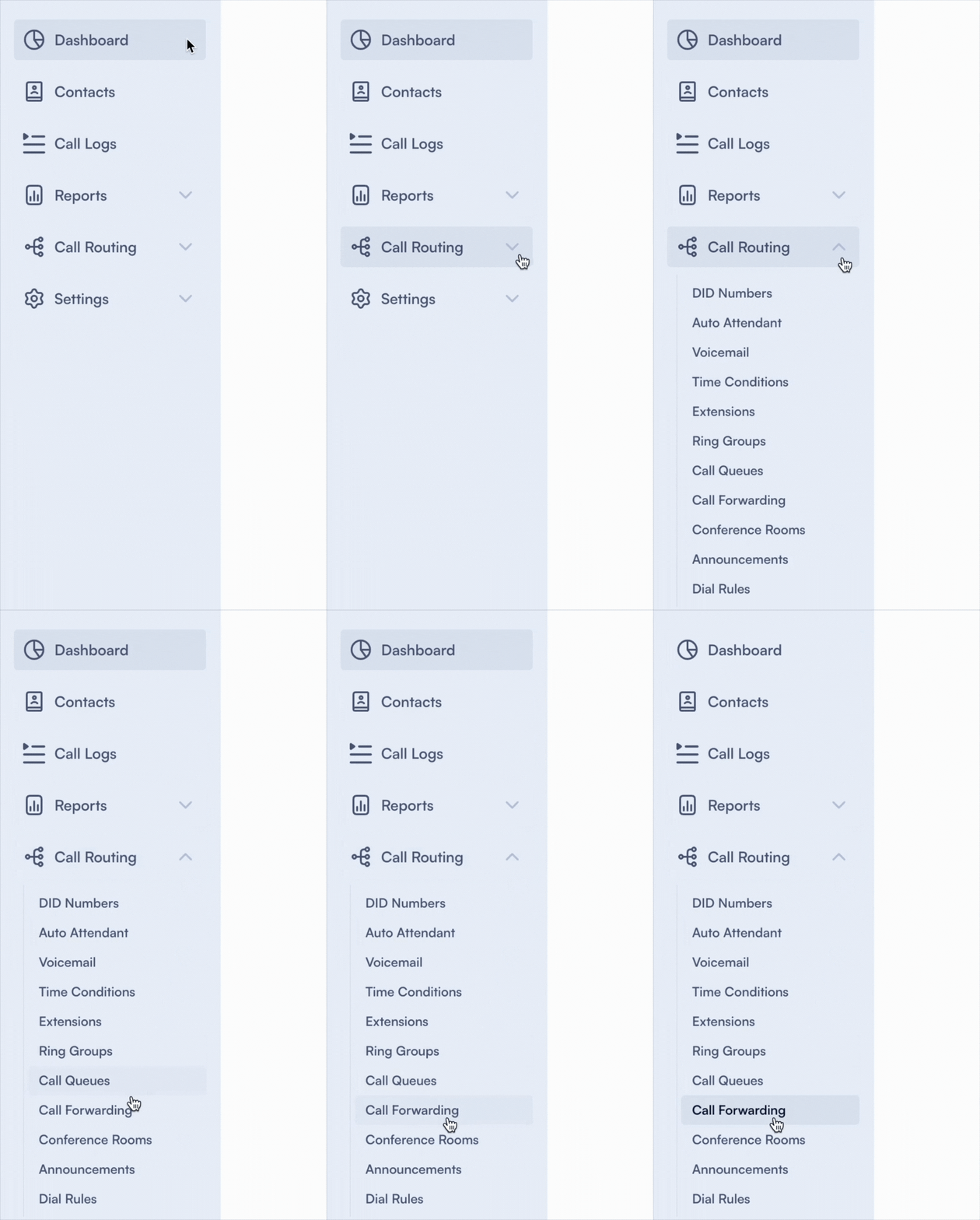
- Log into PBX.IM Dashboard
- Go to ''Call Routing''
- Select ''Call forwarding'' from the drop down menu
Set up Call forwarding
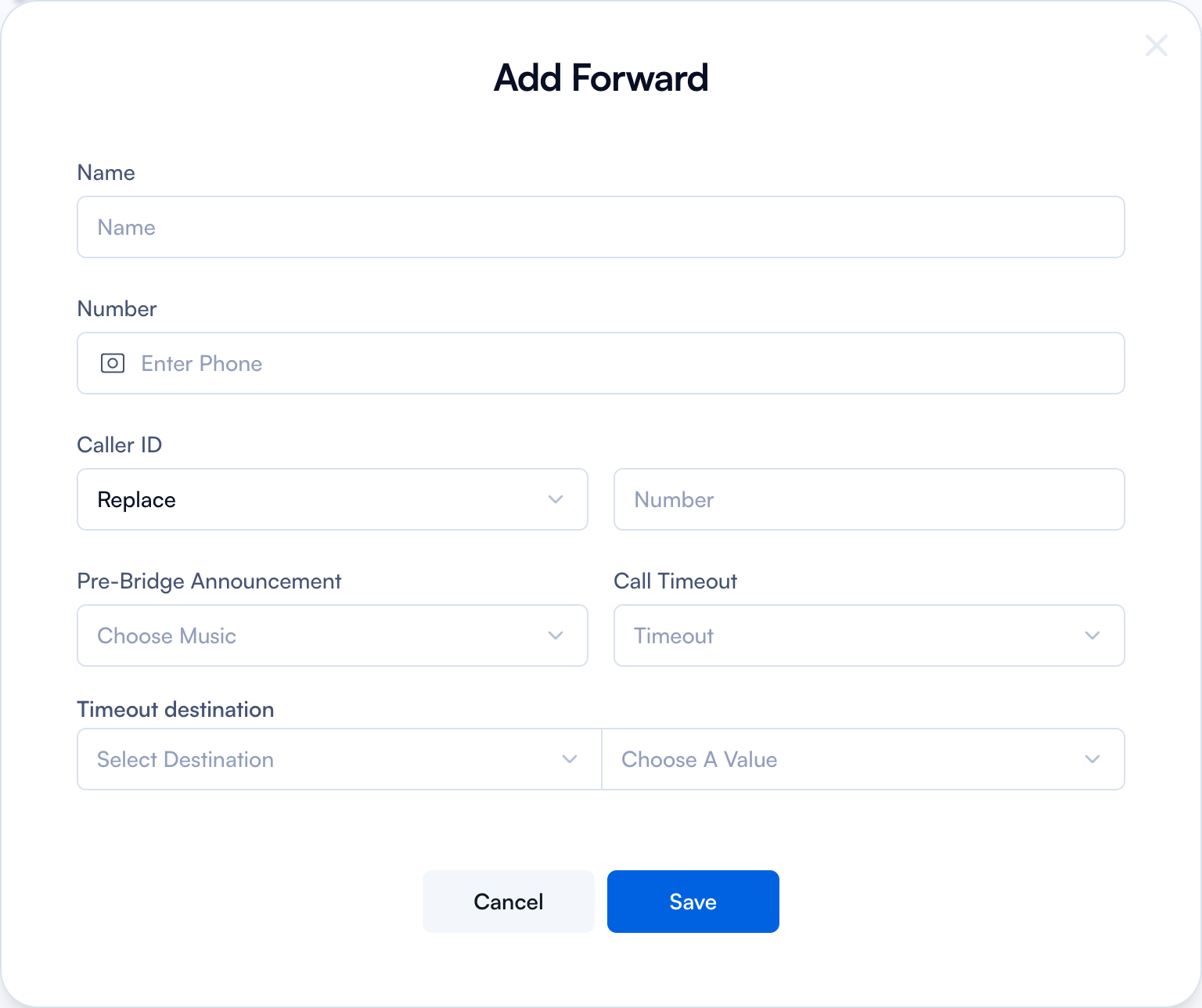
Click on ‘’Add Forward’’

Complete the form by following the next steps:
Add Forward
| Field | Purpose | How to use |
|---|---|---|
| Name | Name of the call forwarding rule for identification purposes. | Type in a descriptive name (e.g., "after hours support", "lunch break coverage") and press ENTER. |
| Number | The phone number to which calls should be forwarded (internal extension or external number). | Type in the phone number and press ENTER. |
| Caller ID | Controls how the forwarded call displays the caller ID. Options: Replace (substitute with a different number), Suffix (add digits to end of caller ID), Prefix (add digits to beginning of caller ID). | Choose the option that best meets your needs, then enter the number in the "Number" input field. |
| Pre-Bridge announcement | Select an announcement or music to play before the call is bridged to the forwarded number. | Select from the drop-down menu the music you want to be played. |
| Call Timeout | The amount of time (10-60 seconds) before a call is considered unanswered and forwarded. | Click on the dropdown menu and choose the timeout value. For example, if set to 30 seconds, the phone rings for 30 seconds before forwarding. |
| Timeout destination | What happens if the forwarded call is not answered in the specified time. | Choose a destination: User, Time Condition, Endpoint, Queue, Announcement, Forward, IVR, Voicemail, Ring Group, or Conference. You can also assign a Value from the dropdown on the right. |
When you want to edit or delete any entry all you have to do is go to the main page and click on the ✏️ Edit or Delete button.
Common Use Cases
Let's look into some common use cases that better showcase how you can use the Call Forwarding in your business:
After-Hours Service:
- Scenario: Your business needs to handle urgent customer inquiries even after the regular business hours.
- Solution: Calls received after office hours are automatically forwarded to an on-call team member or a third-party answering service that can provide immediate assistance.
Business Travel:
- Scenario: A key team member is traveling for business but needs to stay in touch with ongoing projects and client calls.
- Solution: Their calls are forwarded to their mobile phone or to a temporary number in the country they are visiting, ensuring seamless communication regardless of their location.
Vacation Coverage:
- Scenario: An employee is on vacation but certain clients prefer dealing with them directly, or they handle specific responsibilities that cannot be postponed.
- Solution: Their calls are forwarded to a designated colleague who has been briefed to handle their tasks, ensuring continuity of service without disruption.