Learn more
Recent blog post
Every customer touchpoint connected. From first click to resolved ticket.
Connect PBX.IM to ConvertKit phone system and reach customers on every channel - call, SMS, and WhatsApp - without switching platforms. Turn website visitors into conversations and keep every order interaction logged automatically.




The PBX.IM phone system integration for ConvertKit that sets up your unified business inbox. Call, send SMS, send WhatsApp texts, route SMS to email, and keep your whole team working from one place, so every order, enquiry, and follow-up is right where you need it.
Call any contact directly from ConvertKit - no copy-pasting numbers, no switching apps. One click on any contact record starts the call through PBX.IM.
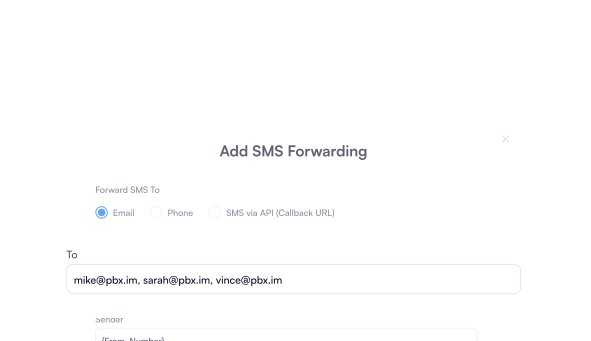
Turn SMS into email, without leaving ConvertKit. Messages log to the contact record automatically, keeping the full history visible to your whole team. No app to check, no phone to hand off, no message left waiting.
Reach contacts by SMS or WhatsApp without leaving ConvertKit. Every message logs to the contact record automatically, giving your whole team the full conversation history in one place. No shared phones, no lost threads, no switching tools to follow up.
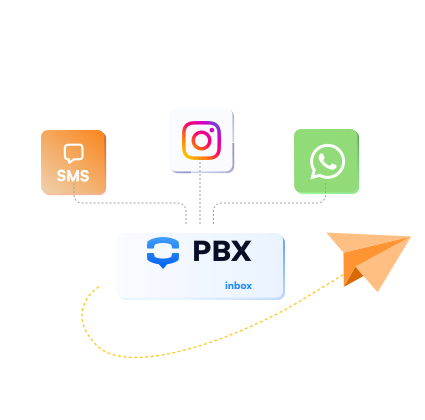
Built for teams that run on connected workflows. PBX.IM adds calls, SMS, and WhatsApp to any automation without extra tools or extra steps.


When a lead reaches a certain score, a deal moves to a new stage, or a form is submitted - PBX.IM fires a call automatically through ConvertKit. No manual handoff, no missed follow-up.

Add WhatsApp to workflows that previously only had email or SMS. Reach contacts on the channel they respond to fastest - and log every reply back to the right record through ConvertKit.

Send automated SMS messages at any point in your workflow. Appointment reminders, payment confirmations, delivery updates - any trigger in ConvertKit can kick off a text through PBX.IM instantly.

Every PBX.IM call can write data back through ConvertKit to any connected platform - CRM, helpdesk, project management, or spreadsheet. One call, automatically logged everywhere it needs to be.

When a call is missed, goes unanswered, or exceeds a set duration - trigger an alert, create a task, or escalate to a manager automatically through ConvertKit. Nothing falls through without someone knowing.

Build sequences that combine calls, SMS, and WhatsApp across multiple tools - all orchestrated through ConvertKit. No switching platforms, no manual steps between touchpoints.
PBX.IM connects with the platforms your team already relies on - so you can add powerful calling without replacing anything.

PBX.IM connects with ConvertKit and any other platform your team uses. If you don’t see your tool in the list, contact us and we’ll set it up for you.
Does ConvertKit have a telephony system?
ConvertKit does not include a native phone system. To make and receive calls, send SMS, and manage WhatsApp directly from ConvertKit, you need to connect it to a business phone system like PBX.IM.
Does ConvertKit have a VoIP?
ConvertKit does not have built-in VoIP. By connecting PBX.IM to ConvertKit, your team gets full VoIP calling, SMS, and WhatsApp without leaving the platform they already work in.
Can you make phone calls through ConvertKit?
Yes - once you connect PBX.IM to ConvertKit, you can make and receive calls directly from any contact record using Click-to-Call. No switching apps, no manual dialing.
How to integrate telephony with ConvertKit?
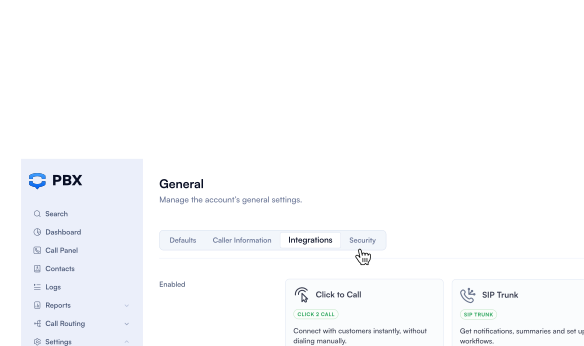
Connect PBX.IM to ConvertKit through the PBX.IM integrations dashboard:
Once connected, your team can call, text, and message contacts directly from ConvertKit, with all activity synced automatically.
Does PBX.IM log calls automatically to ConvertKit?
Yes. Every inbound and outbound call is logged to the relevant contact record in ConvertKit automatically, including duration, outcome, and any notes added during the call. Each call also generates an AI transcript with a summary and action items, so your team has the full picture of every conversation without listening back to recordings.
Can I send SMS from ConvertKit using PBX.IM?
Yes. Once PBX.IM is connected, you can send and receive SMS messages directly from ConvertKit. All message threads are stored against the contact record and visible to your whole team.
Does the integration support WhatsApp?
Yes. PBX.IM includes WhatsApp Business messaging, which means your team can send and receive WhatsApp messages from within ConvertKit. Every conversation is logged to the contact record automatically.